It has been great getting to know all of you and having the opportunity to learn from one another. Throughout this course, I have learned a great deal about WebQuests. A WebQuest is a great teaching tool designed to engage students via interesting scenarios. WebQuests also allow students to safely use the internet for research purposes by providing students with a number of reputable internet sources to use in their research projects. You can access the WebQuests and other activities I have created at http://highschoolbiologywiki.wikispaces.com/. I plan to soon add the WebQuest that I created this class as a sub-page. I plan to continue to add activities and helpful links to use with my own high school biology class someday.
I have also learned more about the available open source software. This software is free, does not require license renewal, is typically user-friendly, and typically requires few updates.
I have to say that I honestly impressed myself with my wikispace. I had no prior experience with building websites, and I don't think I did such a bad job for a first-timer (even if I do say so myself). I think keeping up with the technology will prove to be most difficult for me. Other difficulties I may face may be limited technology or a limited budget at the school I teach at someday. Open source software is one of the many tools that will help ease such barriers.
Tuesday, March 11, 2008

Monday, March 3, 2008
Adapting to R-Directed Thinking

The above figure provides the results of my personal learning style assessment.
The teaching methods used in the classroom differ from one teacher to the next. Each of us, as students, learn in a slightly different way, but the ways by which we learn can be grouped into some combination of Felder and Soloman’s (n.d.) 8 learning styles: active, reflective, sensing, intuitive, visual, verbal, sequential and global learning. A learning style assessment can provide insight into our personal learning style, which can then be applied to help us learn or to even adapt to R-Directed thinking for the purpose of creating a 21st Century learning environment for students (Pink's Empathy).
On the active/reflective learning scale, I scored a three towards the reflective direction, meaning that I am fairly well balanced between these two learning styles. Active learners learn best by doing, as the name suggests. Reflective learners, on the other hand, understand information best when they have the opportunity to mentally review the information (Felder & Soloman, n.d., par. 1). Though we are all active at times and reflective during others, it seems I have a mild preference for reflective learning. While reading a book, listening to a video clip or teaching new material, I like to periodically stop for brief interludes to reflect upon the information that has been presented thus far and focus on the details. I have also found that I personally enjoy actively performing experiments, creating models or practicing techniques, all of which allow me to have a better grasp on concepts and ideas. I do however need to be careful that I do not spend too much time on reflecting (Function) and not enough time on performing the task at hand (Pink's Design).
My love for laboratory work and attention to details also means I am more partial to sensing learning than intuitive learning. On the sensing and intuitive learning scale, I scored a seven towards the sensing direction, meaning I have a strong preference for sensing learning over intuitive learning. Sensing learners often prefer to learn details, facts, and real-world connections, while intuitive learners get more enjoyment out of discovering possibilities and relationships. Intuitive learners are more comfortable working with abstractions and mathematical formulations than sensing learners such as me (Felder & Soloman, n.d., par. 5). After learning more about the intuitive learner, I am eager to make more connections in class that link the various concepts and ideas, which may help any of my students who are intuitive learners. True to my sensing nature, I find memorizing facts easy and spend a considerable amount of time focusing on details and applying concepts to the real world, both in my own learning and in the courses I teach (Pink's Meaning). In addition, I give my students the opportunity to perform several experiments as both an individual and group effort. Laboratory work allows me to see and do something with the new information I am learning.
It comes as no surprise that I scored a seven on the visual end of the visual/verbal learning scale, indicating that I have moderate preference for visual learning over verbal learning. This coincides with the hands-on learning, which I also lean towards. For me, doing lab work is like seeing a live diagram. While verbal learners prefer written and spoken explanations, visual learners like me often remember best what they can see (Felder & Soloman, n.d., par. 9). Sometime in early childhood, I discovered my fascination with drawing pictures and creating charts to help myself organize information. I still make organized charts and draw sketches of things that are especially important for me to remember. In the courses I teach, I always review the necessary concepts and ideas in a Pre-Lab as well as writing notes on the board and distributing hand-outs, which is probably most useful to my students that are verbal learners. Pictures, diagrams, flow charts, films and demonstrations are tools I have used as a teacher to reinforce concepts, review the bigger picture, and synthesize new information (Pink's Symphony).
Regardless of whether or not a sequential learner fully understands the material, they can often make logical connections with what pieces of knowledge they have and make use of it, while global learners, on the other hand, may experience difficulties until they are able to see such overall connections. I scored a seven on the global end, indicating a preference for global learning over sequential learning. While sequential learners can build onto their understanding by logically adding on new bits of information to previous knowledge, global learners tends to learn in a somewhat “all-or-nothing fashion” (Felder & Soloman, n.d., par. 9-10). Being a bit more of a global learner, I often know the answer to a mathematical problem without having to go through all of the steps in between. When I know I am going to review a highly mathematical problem in class, I prepare by first writing down the steps involved and have one of my colleagues review it to see if I am missing any steps that may lead to confusion for some of my students, particularly those who are sequential learners. Seeing the big picture before getting into all of the little details really helps me make connections that lead to my eventual understanding. As a teacher, I attempt to create my lesson plans in a similar fashion, and by doing so, I help my fellow global learners gain an understanding of the material.
A good teacher is capable of changing the lesson plan to meet the needs of his/her students and incorporates a balance of teaching methods that incorporates all learning styles. When teachers fail to address the needs of a student’s particular learning type or special needs or engage the student (Pink's Play), the student may become bored and frustrated. Taking the learning styles assessment has given me insight into the different learning styles and has allowed me the opportunity to assess my own teaching and begin planning for improvements (Pink's Empathy). When students are provided with the learning tools they need, they are freed to pursue personal interests (Pink's Meaning).
Monday, February 25, 2008
Learning with Multimedia

Though I can't think of a lesson in my mind that stands out as so terrible, I have had many students in my Bio 122: Cells and Genetics class this term complain that they never fully understood the cell cycle in their high school biology classes. Looking back on my own learning of the cell cycle, I remember drawing pictures of the different phases and discussing as a class what was happening in each phase. Though I don't remember having difficulty with the concepts associated with the cell cycle, there are a number of things I would change. Together with my groupmates Lindsey Meckley and Donniell Cooke for EDUC 525, we have been designing a cell cycle lesson that centers around inquiry. The information we have gathered for this lesson in addition to lesson materials can be found at http://donnicooke.tripod.com./id5.html.
Donniell is experimenting with inquiry teaching in just one of her three biology classes that she teaches. We are using the "inquiry" class as the experimental group and the 2 "direct instruction" classes as the control group. All three classes are administered the same exams and cover the same material. The only difference is the manner in which this material is presented to the students. Similar experimental design could be used to asses the effectiveness of multimedia in lesson design.
Listed below are a number of diagrams, videos, and interactive websites that could aide in the understanding of the cell cycle.
Interphase
1) http://library.thinkquest.org/C004535/interphase_.html Helpful information and diagrams.
2) http://www.cellsalive.com/cell_cycle.htm An interactive animation of interphase.
Mitosis
1) http://www.cellsalive.com/mitosis.htm An interactive animation of mitosis.
2) http://www.johnkyrk.com/mitosis.html Animated mitosis in animal cell.
3) http://www.sci.sdsu.edu/multimedia/mitosis/ Interactive Mitosis Tutorial.
4) http://biologyinmotion.com/cell_division/ Interactive Mitosis/Meiosis Quiz. This is a great opportunity for students to assess their own knowledge of the cell cycle.
DNA, Genes, and Chromosomes
1) http://learn.genetics.utah.edu/units/basics/tour/ Helfpul information and diagrams.
Donniell is experimenting with inquiry teaching in just one of her three biology classes that she teaches. We are using the "inquiry" class as the experimental group and the 2 "direct instruction" classes as the control group. All three classes are administered the same exams and cover the same material. The only difference is the manner in which this material is presented to the students. Similar experimental design could be used to asses the effectiveness of multimedia in lesson design.
Listed below are a number of diagrams, videos, and interactive websites that could aide in the understanding of the cell cycle.
Interphase
1) http://library.thinkquest.org/C004535/interphase_.html Helpful information and diagrams.
2) http://www.cellsalive.com/cell_cycle.htm An interactive animation of interphase.
Mitosis
1) http://www.cellsalive.com/mitosis.htm An interactive animation of mitosis.
2) http://www.johnkyrk.com/mitosis.html Animated mitosis in animal cell.
3) http://www.sci.sdsu.edu/multimedia/mitosis/ Interactive Mitosis Tutorial.
4) http://biologyinmotion.com/cell_division/ Interactive Mitosis/Meiosis Quiz. This is a great opportunity for students to assess their own knowledge of the cell cycle.
DNA, Genes, and Chromosomes
1) http://learn.genetics.utah.edu/units/basics/tour/ Helfpul information and diagrams.
Tuesday, February 19, 2008
Essential Conditions for Technology Integration in Use

The article, "After the Bell, Beyond," provides evidence for a number of the Essential Conditions for effective technology integration outlined in "Digital-Age Literacy for Teachers." The information has been organized into evidence for each essential condition.
(1) Shared Vision: Eric Langhorst acted as the monitor for the student blog entries. He reviewed all student posts and approved them before posting to ensure they were appropriate. Even the president of the school board got involved in the virtual book clubs.
(2) Access: Eric Langhorst has access to the internet, e-mail, a microphone, a CD burner, and Audacity, a free audio-editing program.
(3) Skilled Educators: Eric Langhorst has proved his technology skills in a number of ways. Using the resources he has available to him, Eric Langhorst was able to support the education of his students in a number of ways. He used the program Audacity, the internet, and a microphone to create the StudyCasts. The StudyCasts were made available online to the students. He also burned CDs for those students who did not have access to the Internet at home. He created virtual book clubs using blogger and e-mailed parents, experts, and authors to take part in the class projects.
(4) Professional Development: Eric Langhorst has met with fellow history teachers to discuss podcasting. Together, they created a collaborative podcast titled "Speaking of History."
(5) Technical Assistance: There is no evidence of technical assistance in "After the Bell, Beyond." Although I would assume he can fall back on his fellow history teachers, some of whom are more than likely computer savvy as evidenced by the collaborative podcast.
(6) Content Standards and Curriculum Resources: There is little direct evidence for content standards and curriculum resources. As previously mentioned, he has met with his fellow history teachers to discuss the integration of podcasts and together they created the collaborative podcast "Speaking of History." It would seem then that they meet to discuss the curriculum and resources. In addition, when e-mailed by a man from Spain who made Langhorst aware that he had not adequately described the contributions of the Spanish in the American Revolutionary War, Eric read the book suggest by the man and made an effort to describe both the French and Spanish contributions.
(7) Student-Centered Teaching: Eric Langhorst records 15-20 minute long StudyCasts to enable his students to better review for exams. Lance Huebner, a special education teacher in the building, recorded his narration of Guerrilla Season (with permission from the author) to help the students with reading disabilities.
(8) Assessment: Though the article does not provide any direct evidence of continuous assessment of the effectiveness of technology for learning, the article did mention that Eric and his fellow history teachers meet to describe class projects and suggest lesson plans. It is quite possible that they have discussed the effectiveness of technology for learning during these meetings as they did collaborative produce a podcast.
(9) Community Support: As previously mentioned Eric has received support from the special education teacher, other history teachers, as well as the president of the school board. Pat Hughes, the author of Guerilla Season, an 8th grade language arts class from California, a college professor in Louisiana, and a number of worldwide viewers participated in the virtual book club discussions. Eric's students participated in the Florida class's discussion, which was based off of his own class's discussion. Eric's class received support from the authors and experts on the Donner Party for their Oregon Trail project.
(10) Support Policies: There was no mention of school and university policies, financing, and rewards structures used to support technology in learning.
Sunday, February 10, 2008
Web 2.0 in the Classroom

There are a number of Web 2.0 tools that can be used for brainstorming ideas, mapping out projects, collaboration, and archiving information. All Things Web 2.0 ranks the best and most popular Web 2.0 Tools. In EDUC 525, I have explored the following Web 2.0 tools:
1) Gliffy Concept Map
Gliffy is a concept-mapping tool that can be used for brainstorming ideas or mapping out projects. You can try a free 30-day trial membership. Visual aides, such as concept maps, are an excellent learning tool, particularly for visual learners. Once your concept map has been created, you can easily export it in a number of different file types or publish it on the web. For example, you can view my concept map of Millennials/Digital Natives vs. Digital Immigrants online.
Gliffy also allows for collaboration amongst members. Other uses for this tool include building simple images, creating flow charts, designing floor plans, etc. You can also import and search for images. I have found this site easy to use, and will keep this tool in mind for use in my own classroom someday.
2) Wikispaces
This tool allows teachers to build sites that can be used for knowledge creation and collaboration. There are a number of teachers who have used Wikispaces to build WebQuests. Any number of multi-media tools could be used in conjunction with Wikispaces. Teachers and students can incorporate images, web links, audio, video, etc. into their sites or utilize these Wikispaces to create multi-media projects.
3) Blogger
Blogger is a free blogging site. Students and teachers can create blogs to share their ideas and comment on each others work. The blog you are currently viewing is an example of such a blog. As you can see blog entries can include online documents, weblinks, pictures, and a news scroll. Blog entries can also include audio and video clips, links to other blogs, and much more.
4) Buzzword
Buzzword is equivalent to your desktop word processing application, but it is available online. It allows for collaborative workflow and commenting.
There are a number of Web 2.0 tools that can incorporate or be used in conjunction with multi-media elements.
Monday, February 4, 2008
Reflection on Multimedia Projects in Education

Chapter 1 reviews the impact of multimedia on learning. Multimedia, as defined by Ivers and Barron, is "the use of several media to present information." Forms of multimedia include but are not limited to text, graphics, pictures, audio, video, hypertext, and hypermedia. Multimedia projects give students the opportunity to work cooperatively, use problem-solving skills and higher-level thinking, and express knowledge in new ways. Multimedia projects are also a great way to support computer literacy skills in a world of ever-advancing technology.
The first chapter also addresses Gardner's Theory of Multiple Intelligences. This theory acknowledges that students learn in a number of different ways. Ivers and Barron suggest that multimedia projects encourage a multimodal approach to learning and allow students to use their own individual learning style. When students are placed in groups, teachers should try to allow for students to utilize their strengths and place them in groups that will nurture their weaknesses. Table 1.1 suggests possible roles for each multiple intelligence in the creation process.
Under the constructivist model of education, students actively learn using their prior knowledge and experiences to work through problems and build new understandings. According to Simons, constructivist learning requires five components: (1) active, (2) cumulative, (3) integrative, (4) reflective, and (5) goal-directed. When designing multimedia projects, students typically address these five components in some way. For example, students must actively decide what content should be included and how the components should be created and used. Multimedia projects give students the opportunity to build upon their prior knowledge and experiences and elaborate on new knowledge. Students have the opportunity to present their knowledge in new ways. The design and development process requires students to assess what they know and need to learn. Teachers and students work together to define project goals.
Chapter 2 reviews the DDD-E Model for the design and development of multimedia projects. The four phases are as follows: (1) decide, (2) design, (3) develop, and (4) evaluate. Ivers and Barron suggest teacher and student activities to support the four phases.
In the decide phase, teachers identify standards to be covered and set instructional goals for a particular project. Teachers must develop assessments. Students are divided into cooperative groups and computer time is scheduled. Students brainstorm and conduct research at this stage.
In the design phase, teachers and students outline the goals and content of the project. Teachers provide students with guidelines and templates and provide students with feedback on their progress. Students outline the project content and begin designing the layout of the project.
In the develop phase, teachers facilitate the project development, manage media production, and provide continuous feedback. Meanwhile the students create the project components.
In the evaluate phase, student should test the program and make the necessary changes. Teachers assess the students and students evaluate themselves as well as their peers. Teachers should reflect on the project as a whole and make necessary revisions for the future.
Monday, January 28, 2008
Microsoft releases their Innovative Teacher Network

Article:Devaney, Laura. (2008, January 23). Microsoft launches online teacher network. eSchool News. Retrieved January 27, 2008, from http://www.eschoolnews.com/news/top-news/index.cfm?print&i=51777;_hbguid=1fc9f28d-e682-4ad7-b1b9-69b274c94ce4
Summary: Microsoft launched a new online forum, the Innovative Teacher’s Network (ITN), for teachers and administrators to discuss how to effectively incorporate technology into the classroom. The ITN is the newest addition to Microsoft’s Partners in Learning (PiL) initiative, which provides educators with the information, resources, and training needed to incorporate technology into the classroom in such a way that allows students to reach their full potential. The ITN is currently the world’s largest professional development community for educators, connecting nearly one million educators worldwide. Educators can collaborate with other educators who have similar interests by creating communities and starting discussions within the network.
Response: After looking into the ITN website itself, I found that membership is free to the public and members can easily personalize their sites. The network also provides opportunities for peer coaching, including coaching sessions, web lessons, as well as coaching tools and chronicles. The network also provides links to software for use by teachers and students in the classroom. Microsoft has incorporated a Digital Literacy Curriculum that teaches and assesses basic computer skills and concepts. You can also easily create communities, link to colleagues, share documents, and create task lists. Overall, this seems like an excellent resource for teachers looking to enhance student and teacher learning.
My View: After further researching this topic, I learned that there is a similar teacher network called Classroom 2.0. Critics claim ITN is an imitation of Classroom 2.0. Supporters of Classroom 2.0 worry that the original will not be able to keep up with similar products by Microsoft and other large companies. I feel that a teacher network, regardless of its provider, could help teachers searching for instructional tips and tricks or solutions to classroom problems. Teachers can collaborate with one another to gain a better insight into problems occurring in the classroom. I think this would be especially helpful for teachers in smaller school settings, where the departments are smaller and as a result teachers often do not have access to peers teaching similar courses.
Questions: How does Classroom 2.0 stand up to Microsoft’s Innovative Teacher Network? How do I know which teacher network is right for me? As education students, how do we get involved in forum discussions on websites like ITN?
Wednesday, January 23, 2008
Torn between two sides: Digital Natives vs. Digital Immigrants
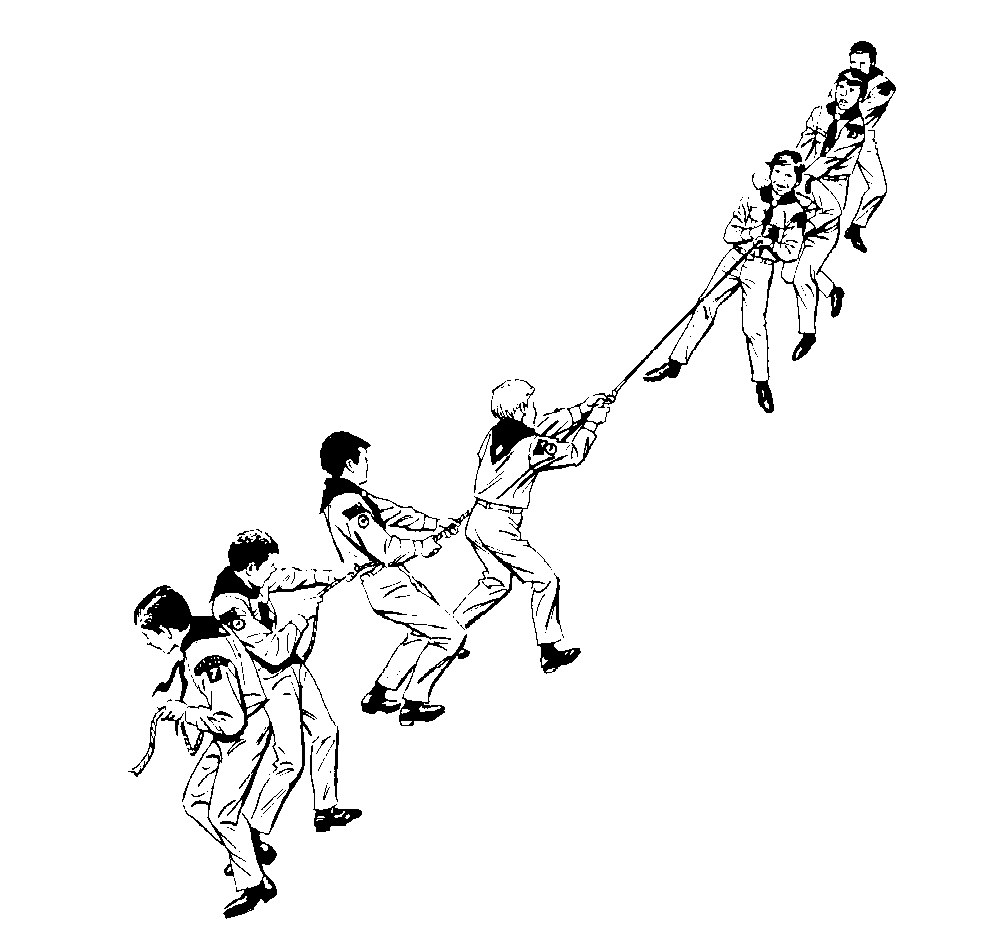
Marc Prensky suggests that there is a decline in education in the United States due to a radical change in students. The education system in place was not designed to teach students born in this digital age.
The term digital native is used to represent those generations that have grown up with this new technology. Today's students have grown up playing video games and using computers, CD (or MP3 players), DVD players, video cameras, digital cameras, cell phones, etc. Many youngsters prefer communication with their friends via text messaging or instant messaging than a traditional phone call. As a result of their technological upbringing, today's students' thought patterns are different from previous generations.
Prensky has coined the term Digital Immigrants to refer to those people who were not born into the digital world, but have adopted some or many aspects of the new technology. Digital Immigrants, unlike Digital Natives, often turn to this technology as a second resort. A few years ago, my grandmother bought her first computer. When one of us grandchildren visit her, she asks us to give her mini-lessons. Her stance is it's never too late to learn. It may take her longer to pick up on the latest technology than it would her grandchildren, but with the help of her grandchildren she is now able to word process, communicate via e-mail, and play online games.
Digital Immigrant instructors struggle to teach their students who are Digital Natives. As previously mentioned, these students think fundamentally different. Digital Natives are comfortable with processing information rapidly and multi-tasking. I, just as many students my age, have little patience for direct instruction (particularly long lectures) and multiple-choice tests, which are methods traditionally used by teachers of the Digital Immigrant generations.
Teachers need to learn to make connections with their students and communicate with them in the fashion of this new digital age. Educators need to develop Digital Native methodologies for all subjects across the grade levels.
As a "digital native" myself, I find value in the ability to find information quickly. The Internet makes a wealth of information readily available. I often "Google" information first before turning to an alternative resource. Though my family did not buy a personal computer until I was eight years old and in the third grade, I have been exposed to computers at school on some level since my time at the computer lab in kindergarten.
Though I would be classified as a digital native by the definition that Marc Prensky provides, I feel strong ties with the Digital Immigrants. I wonder whether we should consider adding levels of "digital nativity." My family was one of the last in our neighborhood to purchase a CD or DVD player, which was while I was in middle school. Until I had my own CD player, the only music I listened to was the radio station my mother or father listened to in the car or the music I heard at a friend's house or in school. My parents did not subscribe to cable television, and as children, my brother and I were not permitted to play video games and were limited to about one hour of educational television per week. I did not buy my first personal computer until I left for college. As a result, I know very little about popular culture and have less technological experience than some of my peers.
For instance, my experience with technology sharply contrasts with that of my boyfriend or many of my close friends. My boyfriend, Rob, is 10 years older than me. He received his first computer, a Commodore Pet, when he was four or five (in 1978 or 1979) and has had a personal computer ever since. Because his first computer had limited programs, he started programming in a computer language called Basic at a pretty early age. As a result of his experiences with technology at an earlier age and the greater complexity with which he was introduced to such technology, he has a much better understanding of computers and picks up on new technology much faster than I ever could. Overall, I feel the difference between a digital native and a digital immigrant has less to do with age but more to do with the age of integration with technology.
PBS has created a forum discussion called "Growing Up Online," which focuses on topics similar to this article. I have not had the chance to look into it in depth yet, but I thought some of you may find it interesting.
Subscribe to:
Comments (Atom)